Sixty seconds.
No install. No commitment.
The Axis Workflow™ is simply a folder of markdown files. Download it, open it with your AI, and say hello. That's it! No account, and no server. Sixty seconds and you are up and running.

01/ Set up
Download Axis and unzip — now you have a project folder.
Open the folder with Cowork, Claude Code, Codex, ChatGPT Work, or Gemini CLI.*
Say hello. Your agent finds the Workflow and helps you get started.
* Windows users should use WSL or Git Bash.
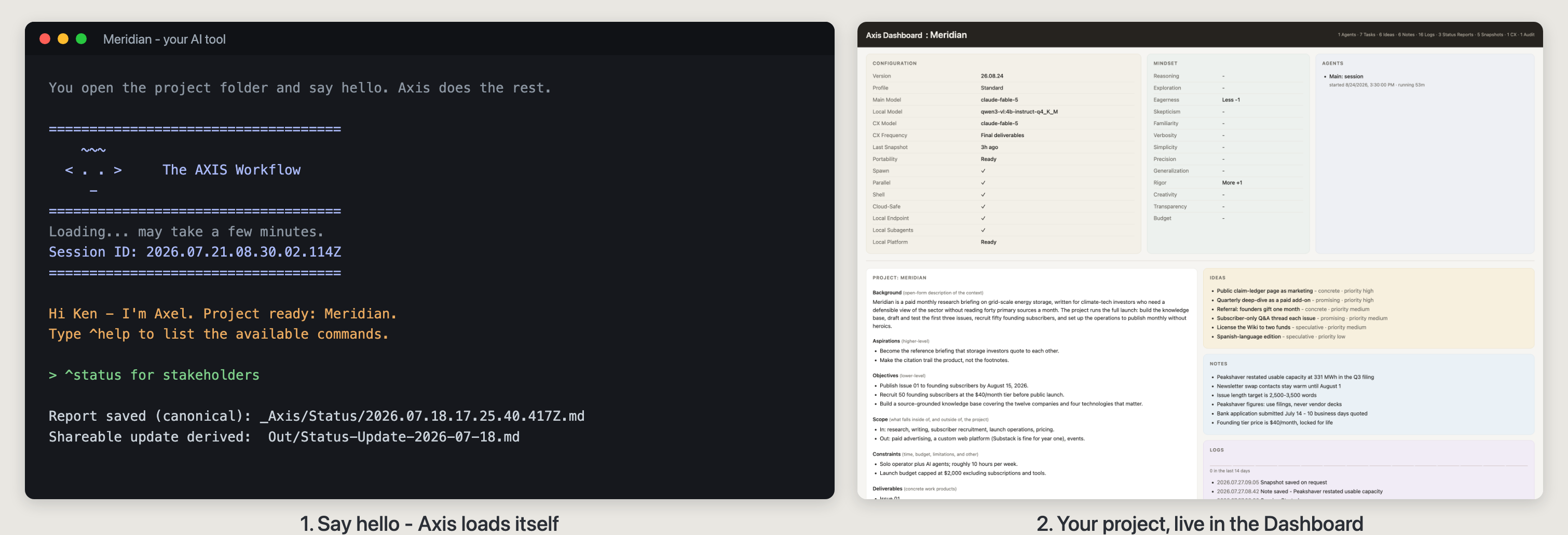
Say hello — Axis loads itself, and your project runs live in the built-in dashboard.
02/ Jump in
Get started. Give Axel (Main Agent) a project name, a bit of background, and a few goals. That's enough to get started — everything else can update as you go.
Get help. Type ^help to see a list of commands. You can always just ask your agent for help, but reviewing commands helps you to see the range of possibilities.
Get results. Everything you do — plans, tasks, reminders, notes, ideas, records, documents — automatically accumulates in your project folder.
03/ Stop anytime
Sixty seconds in — 10 seconds out. Axis installs nothing, registers nothing, and phones home to nobody. Axis lives entirely inside a folder, so trying it costs a download and leaving costs a delete. Either way, everything you produce stays with you in plain markdown.
That's the whole setup.
If you can download a folder and type hello, then you can run Axis. If you get stuck, type ^help, or ask Axel for help — it knows its own workflow better than any manual.